Project ARGUS
A hybrid homelab on a Dell Precision 5820 — Proxmox, Docker home services, K3s, and a dedicated RTX 4000 AI VM.
ARGUS is my everyday home server and software infrastructure lab. The new design keeps reliable home services separate from Kubernetes experiments, with a dedicated GPU VM for local AI and room to grow into a hybrid physical and virtual cluster.
I decided to give it a cool name, Project Argus, because why not? Most companies have cool project names, so why can’t I?
Status: Planned target architecture · Updated November 6, 2026. Components below are not necessarily deployed yet.
Architecture
                         INTERNET
                            |
                    Bell Home Router
                   Firewall / DHCP / LAN
                            |
           +----------------+------------------+
           |                |                  |
    DELL PRECISION 5820   MINI PC          RASPBERRY PI
    ARGUS / Proxmox VE   (future)           (future)
           |                |                  |
      +----+----+      Ubuntu Server        Pi-hole DNS
      |    |    |        K3s Agent          independent
      |    |    |        Worker Node        of ARGUS
      |    |    |             |
      |    +----|-------------+
      |         |    SAME K3s CLUSTER
      |         |
      |    VM 2: Ubuntu + K3s Server
      |    Control Plane + Worker
      |    FastAPI / Grafana / GitOps
      |
      +-- VM 1: Ubuntu + Docker Compose
      |         Jellyfin / media / file sharing
      |
      +-- VM 3: Ubuntu + GPU passthrough
      |         NVIDIA Quadro RTX 4000 8 GB
      |         Ollama + Open WebUI
      |
      +-- Proxmox storage: VM disks / media
          Backups require separate storage

 Windows PC / iPhone / TV -> Home LAN -> Services
 Future remote access: Tailscale or WireGuard
Deployment map
| Service | Initial host | Future option |
|---|---|---|
| Proxmox VE | Dell bare metal | Remains on Dell |
| Jellyfin | Ubuntu Docker VM | Migrate to K3s worker if useful |
| Ollama + Open WebUI | Dedicated Dell GPU VM | Keep on GPU VM |
| K3s control plane | Dell Ubuntu VM | Expand later for HA |
| K3s worker | Dell K3s VM | Add physical mini PC |
| FastAPI / GitOps | Dell K3s VM | Across K3s nodes |
| Grafana / Prometheus | K3s | Across K3s nodes |
| Immich | Not deployed initially | Future K3s workload |
| Pi-hole | Not deployed initially | Separate Raspberry Pi |
| VPN | Future | Tailscale or WireGuard |
| Backups | To be designed | Separate backup target |
Hardware
-
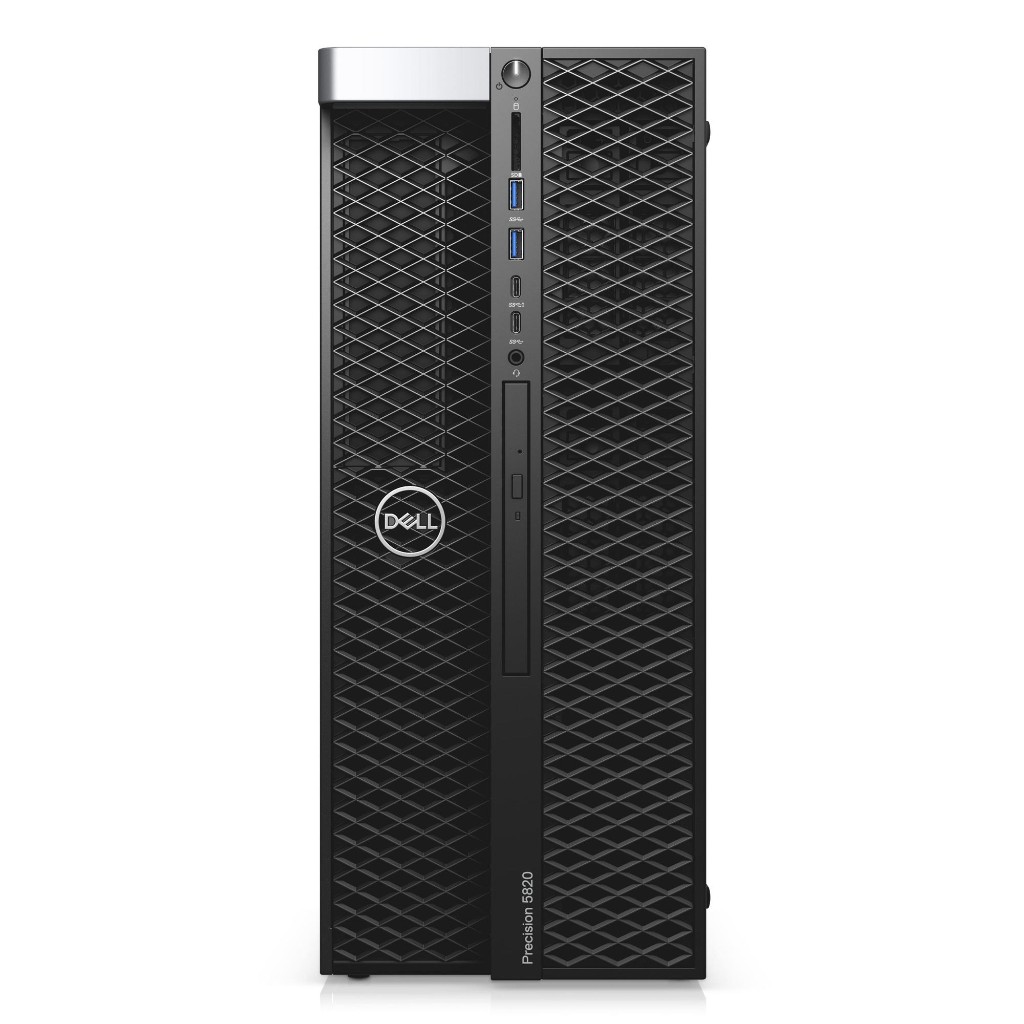
ARGUS: Dell Precision 5820 Tower; 950 W PSU; NVIDIA Quadro RTX 4000 8 GB acquired for CAD $220. CPU, RAM and disk inventory still to be confirmed.
-
Future mini PC: refurbished Lenovo ThinkCentre M720q/M920q, Dell OptiPlex Micro, or HP EliteDesk Mini; aim for Intel 8th-gen i5 or newer, 16–32 GB RAM, 256–512 GB SSD, Gigabit Ethernet. Budget CAD $300 maximum.
-
Future Raspberry Pi: dedicated DNS for resilience; could later be a Proxmox QDevice if a two-node Proxmox cluster is built.
-
Client: Windows desktop and iPhone access services through the home network.
Design principles
-
Keep reliable home services in their own Docker VM initially; Kubernetes experiments must not require Jellyfin to restart.
-
One hybrid K3s cluster can include the Dell VM and a physical mini PC; the mini PC joins as an agent/worker.
-
A single K3s control plane on Dell is not highly available. If Dell is down, the control plane is down, although some workloads on the mini PC may continue.
-
Kubernetes workload migration requires reachable persistent storage, suitable node resources and compatible hardware. It does not automatically replicate media or databases.
-
RTX 4000 PCIe passthrough ordinarily assigns the GPU to one VM; prioritize the Ollama VM initially. Jellyfin transcoding on a mini PC could use Intel Quick Sync if supported.
-
Keep Pi-hole separate from experimental K3s so DNS survives cluster maintenance. Avoid exposing Proxmox directly to the internet.
-
Proxmox snapshots are not a substitute for independent backups. Design storage, backup schedules and recovery tests before entrusting the system with irreplaceable data.
-
Start with the Bell router and ordinary LAN; add VLANs, managed switching and firewall experiments later without disrupting household internet.
Deployment roadmap
-
Install Proxmox VE from bootable USB; configure networking and storage.
-
Create stable Ubuntu Server + Docker Compose VM; deploy Jellyfin and backups.
-
Create Ubuntu K3s VM; deploy FastAPI, Helm, monitoring and GitOps experiments.
-
Configure GPU passthrough; deploy Ollama and Open WebUI.
-
Add independent Pi-hole DNS and secure remote VPN access.
-
Add one mini PC as a physical K3s worker when workload or learning needs justify it.
-
Explore additional nodes, HA, shared storage and Ceph later, with appropriate quorum and hardware planning.
Goal: One homelab serving as both an everyday home server and a realistic software/infrastructure engineering lab.
Later home services
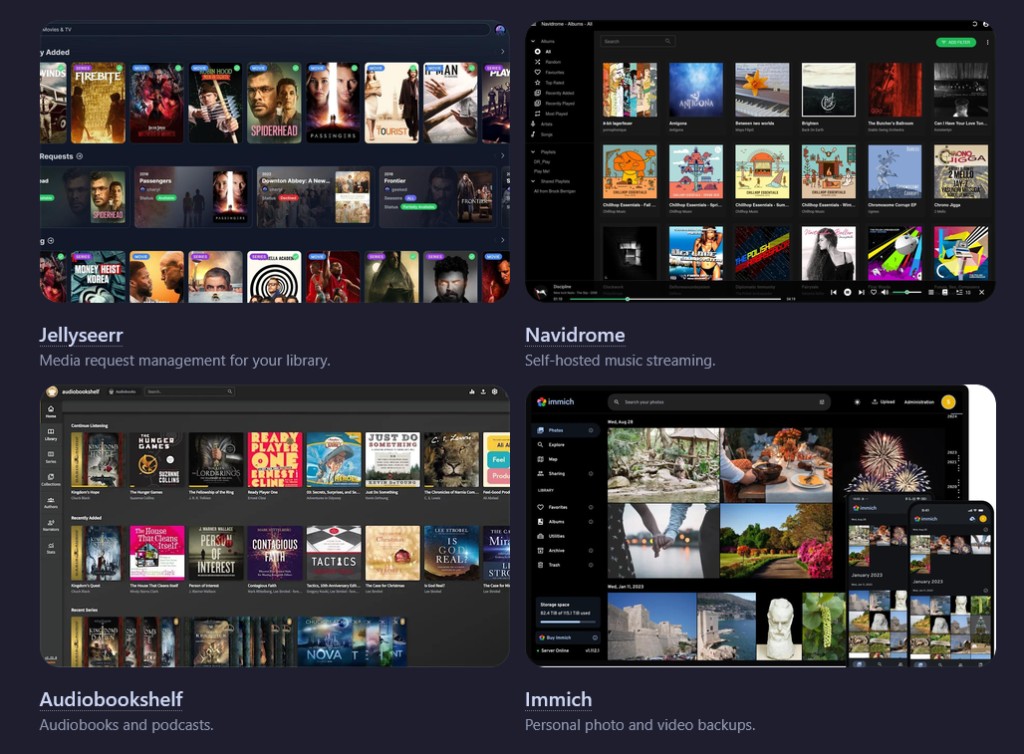
Once core services and backups are reliable, future additions include Jellyseerr for media requests, Navidrome for music, Audiobookshelf for audiobooks and podcasts, and Immich for photos and videos. Immich is planned as a future K3s workload; these services are not deployed initially.